
Accessible Navigation in Airports: Best and Worst Practices
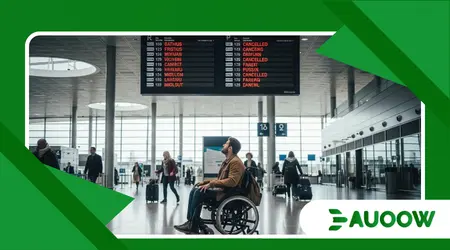
Accessible Navigation in Airports is often tested not by the presence of a ramp, but by the silence of a terminal when a flight is delayed.
I remember watching a traveler named Elias in a bustling European hub last spring. He sat in a motorized wheelchair, staring at a digital flight board that flickered with red “cancelled” text.
The physical space around him was modern, yet he was trapped in a cognitive desert. No one came to offer him the specific information he needed in a format he could process.
The staff hurried past, assuming that because he had reached the gate, the “accessibility” box had been checked. This scene captures the friction between policy and lived experience.
Why does the terminal feel like a maze?
Airports are designed for a specific type of human: the “efficient” traveler who moves quickly and processes visual data instantly.
When we talk about Accessible Navigation in Airports, we are really talking about the dismantling of the “standard traveler” myth.
The architecture of most major hubs favors high ceilings and glass, which creates acoustic nightmares for those using hearing aids.
What rarely enters this debate is the fact that these design choices are often aesthetic, prioritizing “openness” over the functional clarity required by neurodivergent passengers.
How do best practices move beyond the wheelchair symbol?
The most effective hubs have realized that inclusion isn’t a separate department; it is integrated into the floor plan.
In my reading of this scenario, the best airports utilize “wayfinding” that engages all five senses, rather than relying solely on eyes.
Tactile paving that leads directly to assistance points is a gold standard, yet it remains surprisingly absent in many North American terminals.
Good practice also involves the “Hidden Disabilities” lanyard programs, which quietly signal to staff that a traveler might need more time or clearer verbal instructions.
The success of Accessible Navigation in Airports depends on these subtle, non-technological cues that respect the traveler’s dignity.
++ Public Bike-Sharing and Accessibility: Can It Be Inclusive?
What are the structural failures we continue to ignore?
A detail that usually goes unnoticed is the “last-mile” problem within the airport itself.
A traveler might have a seamless experience getting through security, only to find that the accessible restroom is a ten-minute walk from their specific gate.
This is a failure of planning that treats disability as a stationary problem rather than a mobile one.
The analysis suggests that we still view accessibility as a series of destinations the ramp, the elevator rather than a continuous thread of movement.
When a terminal is expanded, accessibility is often treated as a “bolt-on” feature to satisfy legal requirements, rather than being part of the original blueprint.
Is technology solving the problem or complicating it?
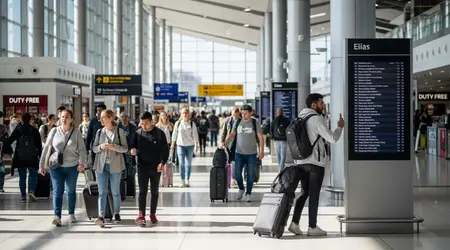
We are seeing a surge in indoor GPS and robotics, but we must ask who these tools are actually for. High-tech apps for Accessible Navigation in Airports are useless if the airport’s own Wi-Fi has dead zones near the boarding areas.
There is a valid reason to question the reliance on smartphones, as they assume every disabled traveler has the latest tech and the dexterity to use it while moving.
The most innovative hubs are the ones that use technology to empower human staff, not to replace them.
Augmented reality (AR) can be a miracle for someone with anxiety or autism, providing a “preview” of the sensory load they are about to face.
Also read: Ride-Sharing Accessibility: Are Uber and Lyft Meeting Promises?
How does history shape the modern gate?
The regulations of the late 20th century, like the ADA in the US or the Equality Act in the UK, paved the way for physical changes.
However, these laws were largely written with a focus on mobility, leaving sensory and cognitive Accessible Navigation in Airports in the shadows.
We are still living with the architectural legacy of an era that thought “access” simply meant a wider door. Today’s challenges are about the digital and psychological architecture of the travel experience.
If a digital check-in kiosk is too high or has a glare that obscures the screen for a person with low vision, the law has been followed, but the person has been excluded.
Read more: The Rise of Electric Wheelchair Bikes for Urban Commuting
What actually changed after the 2024-2025 reforms?
- Shift to Sensory Rooms: Most major hubs now include quiet zones for travelers with sensory processing needs.
- Mandatory Training: New regulations, particularly the US DOT rule effective through 2026, now require hands-on “dignity training” for all ground handling staff.
- App Standardization: A move toward unified navigation apps that work across different airlines and terminals.
- Digital Twins: Airports now use 3D models to allow travelers to “walk” their route virtually before leaving home.
Why do we still see “worst practices” in 2026?
The most honest analysis suggests that cost-cutting is the primary enemy of inclusion. In many cases, airports outsource their “Special Assistance” teams to the lowest bidder.
This results in high staff turnover and a lack of institutional knowledge about how to handle complex equipment like electric wheelchairs.
When Accessible Navigation in Airports is outsourced, the person becomes a “logistics unit” rather than a passenger.
I have seen wheelchairs treated as baggage, left on the tarmac, while the passenger is stuck in an aisle chair, unable to move independently.
How can we bridge the gap in inclusive education?
Training should not be a once-a-year video seminar for airport employees. It needs to be an ongoing dialogue that involves actual travelers with disabilities as consultants.
When staff are taught to anticipate needs rather than wait for a crisis, the entire flow of the airport improves for everyone.
An inclusive environment reduces the stress of every passenger, not just those with specific needs. Ultimately, Accessible Navigation in Airports is a bellwether for how we value human time and comfort in our public spaces.
Does the layout favor commercial interests over people?
Airports are increasingly becoming shopping malls with runways attached. The “duty-free zigzag” is a nightmare for anyone with a visual impairment or a mobility aid.
These layouts are intentionally confusing to keep people in front of retail displays longer.
For a traveler with ADHD or light sensitivity, this commercial gauntlet can be physically painful and disorienting. True accessibility requires a “fast track” that bypasses the sensory clutter of the retail floor.
The Contrast of Global Standards
| Feature | Best Practices (Gold Standard) | Worst Practices (Common Failures) |
| Signage | High-contrast, Braille, and multi-sensory | Small font, purely visual, or hidden by ads |
| Staffing | Proactive, disability-trained, visible | Reactive, outsourced, or difficult to find |
| Restrooms | Changing Places (full hoist/adult bench) | Standard “ADA” stalls that are too small |
| Acoustics | Sound-dampening zones and loop systems | Echoing halls with loud, distorted PA systems |
Navigating the Future of Air Travel
We are at a crossroads where we can either build terminals that feel like cold machines or spaces that feel like communities.
The conversation about Accessible Navigation in Airports must move from “compliance” to “hospitality.”
When we design for the person who is most likely to be excluded, we end up building something that works better for the elderly, for parents with strollers, and for the tired business traveler.
Accessibility is the ultimate form of future-proofing in an aging global society. It is time we stop treating the disabled traveler as an exception to the rule and start treating them as the baseline for good design.
Common Questions on Airport Accessibility
How do I request assistance if I have a non-visible disability?
You can request assistance through your airline at least 48 hours before your flight.
Many airports also recognize the “Sunflower Lanyard,” which helps staff identify that you may need extra support or a slower pace without you having to explain your condition.
Are airports required to provide water and restrooms during assistance delays?
Yes. Under most international passenger rights regulations, if you are waiting for assistance for an extended period, the airport or airline must ensure you have access to basic needs, including accessible restrooms and hydration.
Can I take my own electric wheelchair to the gate?
In most cases, yes, though you must inform the airline of the battery type and dimensions in advance.
You have the right to stay in your own chair until the door of the aircraft, though some airports may try to move you into their own chairs earlier for their convenience.
What should I do if my mobility equipment is damaged during a flight?
Report the damage immediately at the “Baggage Claim” or “Special Assistance” desk before leaving the airport.
Ensure you get a written report (PIR) and take photos, as this is essential for insurance and compensation claims under the Montreal Convention.
Is indoor navigation technology free to use at the airport?
Most airports that offer specialized navigation apps, like Aira or Waymap, provide these services for free to passengers while they are within the terminal boundaries.
You can usually find information about these on the airport’s official Wi-Fi landing page.
