
How to Make a Remote Work Setup Accessible Without Buying Expensive Equipment
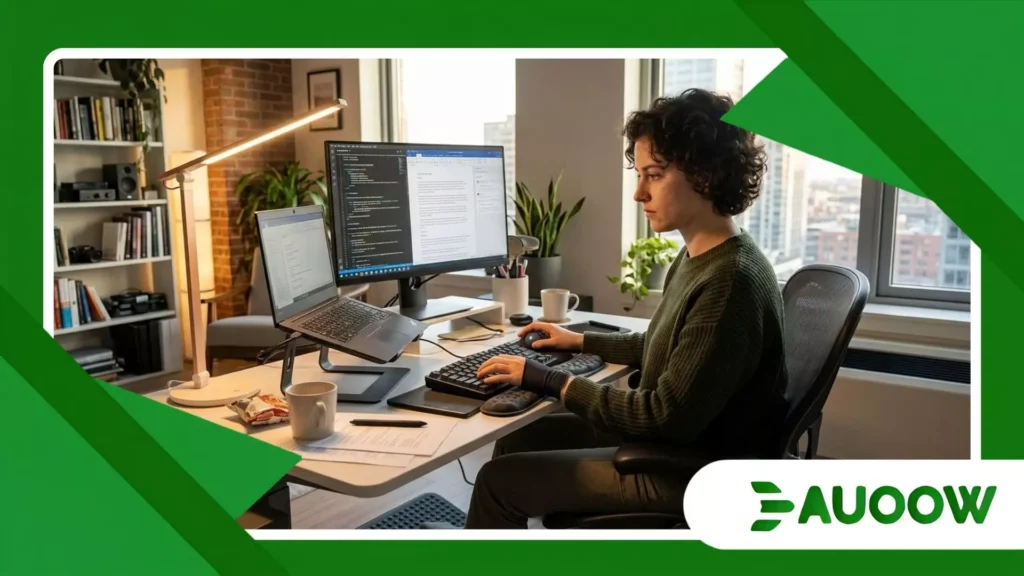
When Elena, a technical editor with chronic motor nerve inflammation, transitioned to full-time remote work three years ago, she quickly realized that the freedom of her living room came with a quiet, exhausting price.
Every afternoon, as lighting shifted across her small apartment and her hands grew fatigued, her productivity slowed down dramatically not because the work became harder, but because her standard corporate laptop setup was actively fighting her body.
Like thousands of disabled professionals navigating distributed teams, Elena discovered that trying to make a remote work setup accessible often feels like an entry-level financial barrier, where commercial solutions cost thousands of dollars for specialized ergonomic hardware that few early-career workers can afford.
Key Perspectives in This Article
- The Illusion of Remote Freedom: How working from home shifted physical barriers into private spaces.
- Built-in Power: Utilizing native operating system tools without buying high-end peripherals.
- The Ergonomic Myth: Why expensive equipment isn’t the only answer to mechanical strain.
- Legal Realities and Employer Obligations: How digital accessibility enforcement is shifting globally.
- Comparative Practical Solutions: Low-cost built-in software vs. high-cost specialized hardware.
- Editorial FAQ: Practical responses to common home workplace accommodation questions.
Why do we assume accessible tech must carry a luxury price tag?
For decades, assistive technology existed in a specialized commercial market where small production runs and niche vendors dictated high pricing.
A dedicated refreshable Braille display or a head-tracking mouse system could easily cost more than an entire workstation.
When remote work suddenly expanded in 2020, this legacy pricing structure migrated directly into home offices.
Look closely at everyday workplace habits, and the pattern repeats across industries.
Companies routinely provide a standard laptop and a modest stipend for a desk, leaving disabled workers to bridge physical and digital barriers on their own personal budget.
There is a structural detail that often gets overlooked in discussions about distributed work: workplace accessibility was historically designed around office infrastructure, where specialized facilities teams handled modifications.
When the office moved to the bedroom or kitchen table, that systemic support frequently dissolved. The true barrier has rarely been a lack of technical innovation.
Instead, it stems from a lack of awareness regarding what modern consumer software can already achieve out of the box.
++ How Applicant Tracking Systems Can Create Barriers for Disabled Job Seekers
How built-in operating systems quieted the hardware market
What rarely enters this debate is how mainstream tech developers quietly integrated high-grade assistive software directly into macOS, Windows, iOS, and Android over recent years.
Tools that once required separate software licenses such as advanced dictation engines, screen readers, and dwell-click emulation are now embedded natively within everyday devices.
To make a remote work setup accessible, workers rarely need to order specialized input devices right away.
Instead, enabling built-in feature suites like Windows Voice Access or Apple’s Voice Control allows complete system navigation through natural speech.
When a remote worker configures high-contrast modes, color filters, or system-wide text scaling, they are utilizing features designed by world-class accessibility engineers that carry no extra cost beyond the original device.
How can ambient environments solve physical accessibility challenges?
Consider a skilled professional facing barriers that do not show up in corporate policy handbooks, such as a data analyst with severe vestibular sensitivity triggered by fluorescent lighting and rapid visual fatigue on bright screens.
In a traditional glass-and-steel corporate building, modifying lighting meant submitting facilities requests, negotiating with floor managers, and enduring administrative delays.
At home, control shifts entirely back to the individual, provided they understand how to manipulate ambient conditions effectively.
Modifying your physical environment does not require custom medical furniture.
Adjusting desk height can often be approximated using simple household adjustments, monitor risers made from stacked books, or repositioning working surfaces near natural, indirect light sources to reduce glare and physical strain.
Also read: Why the Post-Remote Work Backlash Is Hitting Disabled Workers First
Rethinking physical inputs without high-end gadgets
Physical strain during long typing sessions often stems from sustained, static muscle engagement rather than the keyboard itself.
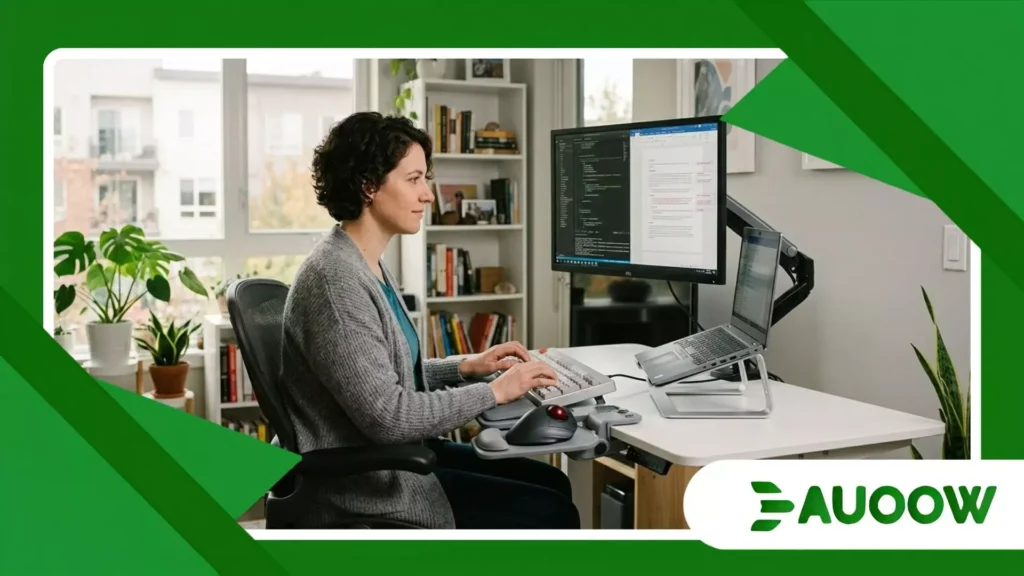
Before investing in five-hundred-dollar split mechanical keyboards, workers can utilize free key-remapping utilities like Microsoft PowerToys or Karabiner-Elements on Mac.
By remapping taxing key combinations to single keystrokes or enabling “Sticky Keys” natively, you eliminate the mechanical chord-holding that causes tendon strain.
To make a remote work setup accessible, optimizing input logic through free remapping tools frequently yields more immediate relief than changing physical hardware.
How do past labor frameworks shape our modern remote reality?
The modern concept of workplace accommodation grew out of 20th-century civil rights legislation like the Americans with Disabilities Act (ADA) of 1990 and equivalent frameworks across Europe and Commonwealth nations.
These regulations were explicitly drafted around physical workplaces elevators, wide doorways, accessible restrooms, and adjustable desks on the office floor.
However, as employment contracts decentralized over the last decade, legal interpretations have struggled to keep pace with daily reality.
The transition to remote work created a policy vacuum where employers sometimes argue that home offices fall outside their direct structural responsibility.
This legal gray area forces many remote professionals to adapt their spaces quietly without requesting formal accommodations, concerned that highlighting their needs might make them appear less adaptable than their colleagues.
When we connect past policies with current realities, it becomes clear that true workplace equality must include clear digital accessibility standards for remote employment contracts.
Read more: Robotics and Automation: Threat or Opportunity for Disabled Workers?
Why company culture matters more than equipment budgets
Equipment alone cannot fix an exclusionary work environment.
If a company uses inaccessible internal messaging software or demands immediate video responses from employees with speech or auditory differences, even an expensive ergonomic home desk will not solve the fundamental problem.
Structural inclusion often begins with asynchronous communication practices.
When teams prioritize written summaries, automated meeting transcriptions, and clear task management boards, they remove ambient pressure for neurodivergent and disabled workers alike.
What is the true cost of digital workplace barriers?
When companies fail to account for accessibility in their remote software stacks, the economic and human toll accumulates quietly.
Disabled employees spend hours finding workarounds for inaccessible third-party software, leading to burnout and turnover rates that rarely show up in exit surveys.
On a global scale, ignoring digital accessibility limits the talent pool. Qualified professionals living outside major metropolitan areas where accessible public transit can be limited rely on remote work as a vital career pathway.
To successfully make a remote work setup accessible across an enterprise, organizations can audit their software procurement policies, ensuring that internal tools adhere to Web Content Accessibility Guidelines (WCAG) as a baseline requirement.
Low-cost adjustments preserve personal budgets while democratizing access for workers in low-resource environments, showing that effective accessibility relies on thoughtful configuration rather than financial privilege.
Evaluating Practical Workplace Adaptations
To better understand how built-in tools and environmental adjustments compare against commercial products, consider the overview below.
| Category / Need | High-Cost Commercial Solution | Zero-Cost / Built-In Alternative | Practical Impact & Feasibility |
| Speech-to-Text | Proprietary dictation software ($300+) | Built-in Voice Access (Windows) / Voice Control (macOS) | High accuracy, native integration, zero added cost |
| Motor Strain & Clicking | Specialized eye-trackers or head-mice ($1,000+) | Free Dwell-Clicking software + key remapping utilities | Drastically reduces repetitive strain without new hardware |
| Visual Comfort / Fatigue | Medical-grade anti-glare monitors ($800+) | System High-Contrast, Night Light, and screen scaling | Immediate reduction in glare and fatigue using current monitor |
| Auditory / Focus Support | Commercial acoustic isolation booths ($3,000+) | Built-in live captioning + ambient noise filtering apps | Real-time text output during calls; removes ambient sound |
| Physical Posture | Custom motorized standing desks ($1,200+) | DIY height adjustments, monitor risers, laptop stands | Delivers core ergonomic alignment using existing furniture |
Five Practical Actions to Optimize Your Space Today
Creating an inclusive work environment at home is an iterative, highly personal process that relies on testing different settings rather than buying pre-packaged solutions.
By prioritizing free operating system tools, adjusting ambient lighting, and organizing digital workflows, remote workers can build a comfortable space tailored to their daily needs.
Real progress happens when we rethink how we interact with the technology we already own, stepping away from the idea that inclusion only arrives through purchasing new gadgets.
When remote workers gain the confidence to tweak their digital environments to match their physical realities, home offices transform from spaces of daily frustration into sustainable, empowering professional environments.
Moving Beyond Hardware Toward True Autonomy
Equalizing the digital desk is ultimately less about buying the right equipment and more about reclaiming agency over how we interact with our tools.
When organizations and individuals recognize that accessibility lives within native operating systems, flexible environments, and thoughtful communication habits, the barrier of high costs begins to drop away.
True inclusion opens up when remote setups adapt to human bodies, rather than forcing people to adjust to rigid, expensive hardware.
Editorial FAQ
Do I need a formal medical diagnosis to use built-in accessibility features?
No. Mainstream operating systems include these features for all users. Anyone can enable screen magnification, voice control, high-contrast themes, or live captions without providing documentation or requesting administrative permissions.
Will using dictation software lower my typing speed or accuracy?
Modern dictation engines integrated into Windows and macOS leverage advanced machine learning models.
For many users with motor fatigue or dyslexia, dictation can be significantly faster than manual typing once basic voice commands are learned.
Can my employer require me to buy my own ergonomic equipment for remote work?
Labor laws vary by jurisdiction. In many regions, employers are expected to provide reasonable accommodations under disability legislation, regardless of whether the employee works in an office or remotely.
Reviewing local labor laws and internal accommodation policies provides clarity on specific rights.
How do I reduce glare without buying an expensive anti-glare monitor?
Position your workspace so light sources enter from the side rather than directly behind or in front of your screen.
Adjusting device display settings to lower brightness, turning on dark mode, or using built-in blue light filters like Night Light or Night Shift also offers immediate relief.
