
The Accessibility Features Hidden Inside Your Smartphone That You Probably Don’t Use
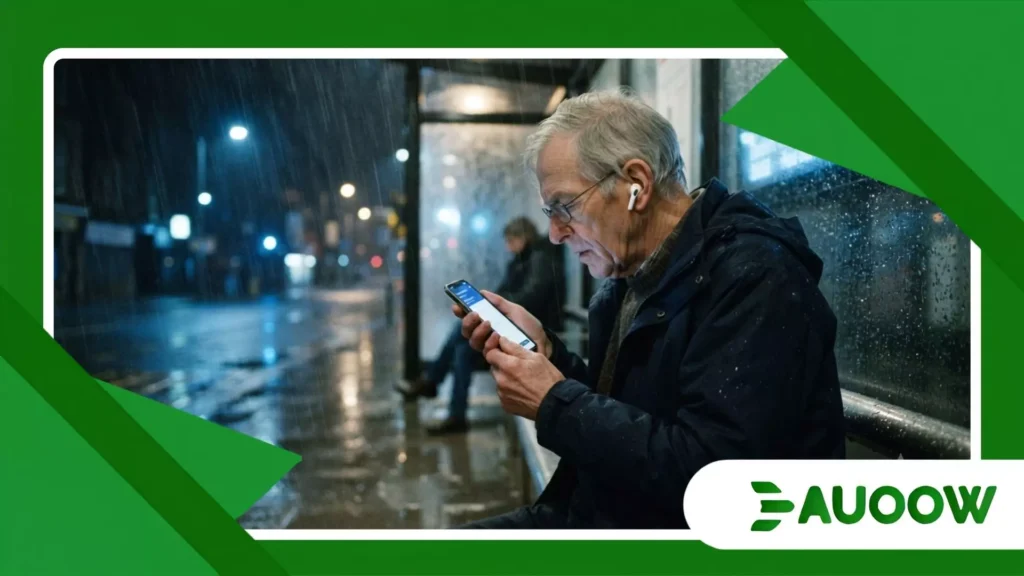
The rain came down in sharp, diagonal sheets across the bus shelter, blurring the digital timetable display into an illegible smear of blue light.
Next to me, an elderly man named Arthur held his smartphone inches from his face, his thumb trembling slightly as he tried to adjust the screen brightness.
The bus we were waiting for was twenty minutes late, but his real challenge wasn’t with the transit authority; it was with a glass screen that refused to cooperate with wet fingers, low vision, and the ambient glare of sodium streetlamps.
Without thinking, he tapped a small shortcut button on the side of his phone, muttered a quick command, and a calm, synthesized voice began reading the transit schedule aloud through a single Bluetooth earbud.
Arthur didn’t look like someone utilizing high-tech adaptation; he looked like anyone else waiting for a ride.
Yet, tucked away inside his device was a suite of accessibility features hidden inside your smartphone that bridged a gap the physical city around us had entirely failed to close.
A silent shift in how mobile operating systems approach universal design
The gap between public infrastructure and pocket-sized equity.
Real human outcomes behind invisible software settings.
Why do we still view digital inclusion as an afterthought?
Why do we still view digital inclusion as an afterthought?
When urban planners talk about accessibility, our minds instinctively drift to physical concrete: wheelchair ramps, tactile paving on subway platforms, and automatic doors.
These are vital milestones born from decades of disability rights advocacy. But as public life migrates onto glass and silicon, a parallel architecture has emerged.
The software running in our pockets has quietly transformed into a sophisticated public accommodation tool.
What rarely enters this debate is that mobile technology was not built from scratch to be inclusive. Digital accessibility began as a corrective layer, a set of patches designed to fix visually obtrusive interfaces.
Over time, however, that logic inverted. Features that started as niche accommodations turned into standards of universal convenience.
A structural detail often ignored by manufacturers and casual consumers is how these tools operate. Most users assume that tools like screen magnification, automatic captions, or audio descriptions require deep, complex menus to activate.
In practice, genuine accessibility relies on physical shortcuts and intuitive gestures that demand zero cognitive friction.
When observed closely, the pattern repeats: the design that resolves the extreme problem of a specific group invariably improves the experience for everyone else.
++ Smart Home Features That Actually Improve Independence
How software learned to listen, see, and translate the world
The evolution of mobile operating systems mirrors the evolution of physical architecture. Decades ago, public buildings had to be retrofitted with elevators and ramps because original blueprints ignored human diversity.
Similarly, early smartphones assumed every user possessed steady hands, sharp eyesight, and flawless auditory processing.
When legislators pushed for digital compliance standards in the early 2010s, tech companies initially treated accessibility as a compliance checkbox.
Engineers added screen readers and high-contrast modes, but buried them three layers deep in settings menus. It treated inclusion as an exception rather than a baseline.
A more balanced analysis suggests the turning point happened when artificial intelligence shifted from a futuristic novelty into an environmental translator.
Suddenly, the phone camera stopped being merely a tool for capturing selfies and began functioning as a real-time optical reader for foreign street signs or low-contrast menus.
The everyday invisible helper
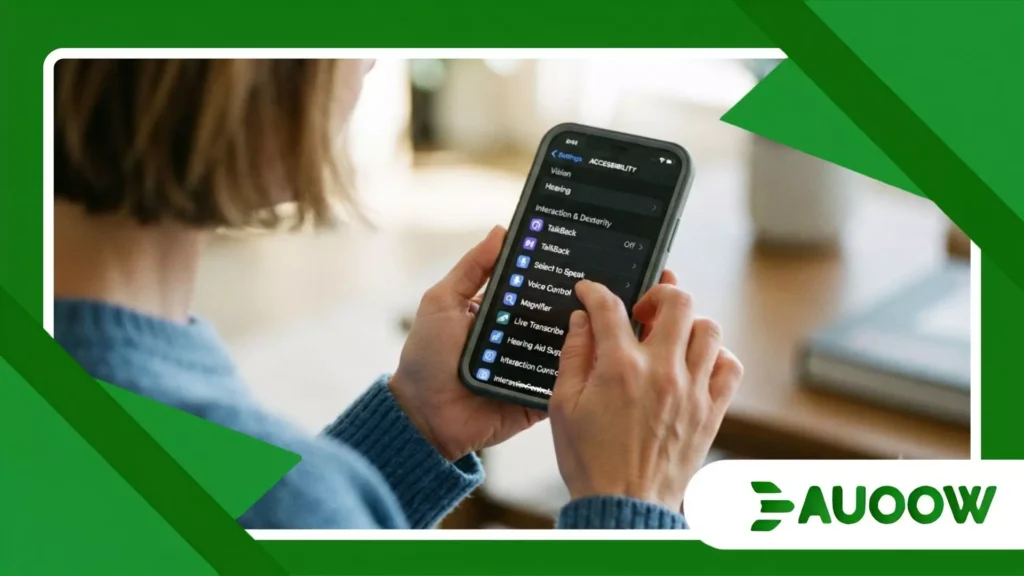
Consider a skilled worker navigating barriers that do not appear in formal regulations. Imagine someone with mild hearing loss working in a noisy office or a cook following a recipe with messy hands.
For these profiles, activating accessibility features hidden inside your smartphone, such as hands-free voice control or instant audio transcription, resolves a daily obstacle without requiring any medical label or formal diagnosis.
Accessibility has largely evolved from a charitable policy into a fluid infrastructure.
The barriers have not disappeared from the physical world, but the pocket tool has created an invisible workaround, allowing more people to navigate urban space with dignified autonomy.
| Feature Type | Original Intended Use | Universal Everyday Benefit |
| Live Transcriptions | Assisting deaf or hard-of-hearing users | Quietly reading lectures or noisy videos in public spaces |
| Switch Control / Assistive Touch | Motor impairments affecting finger dexterity | Operating a cracked screen or using a phone while cooking |
| Object Recognition / AI Vision | Blind or low-vision navigation assistance | Translating foreign street signs and identifying plant species |
What actually changed after this?
A genuine shift occurred when operating system developers moved accessibility out of specialized utility folders and baked it directly into the core hardware setup process.
Today, setting up a new phone prompts users to adjust text scaling and contrast before they even reach the home screen.
This normalization dismantled the historical stigma attached to assistive devices. In the past, using a specialized magnifier or a bulky text-to-speech reader marked a person as different, sometimes inviting unwanted attention or architectural exclusion.
When these exact capabilities are embedded seamlessly as accessibility features hidden inside your smartphone, social friction tends to evaporate.
In reading this landscape, the victory is both technological and cultural. Society has begun to understand that disability often resides in the rigidity of the environment rather than the individual body.
If a sidewalk is cracked, the pedestrian struggles; if an operating system is pliable, the user overcomes the barrier.
Also read: Why facial recognition accessibility raises daily access concerns
Bridging the physical and digital divide
Imagine a student with a visual impairment trying to follow a remote class on an unstable platform. The professor shares static slides without alternative text, ignoring basic digital inclusion guidelines.
If this student relies solely on institutional goodwill, she falls behind. However, by triggering accessibility features hidden inside your smartphone, she can use the camera to scan the classroom projector screen and convert it into real-time audio descriptions in her earbud.
There are valid reasons to question this approach. After all, transferring the weight of inclusion to the individual and their personal device can occasionally excuse governments and corporations from fixing baseline structural flaws.
Technology should not replace public responsibility for legitimate universal design; rather, it acts as a temporary shield while the physical world catches up to progress.
Read more: The rise of smart crosswalk accessibility in urban mobility plans
Looking forward without losing sight of equity
As mobile technology accelerates toward augmented reality and ambient computing, the definition of digital inclusion will continue to stretch.
The ongoing challenge is ensuring that upcoming innovations remain integrated with human empathy rather than treated as cold commercial features.
Real accessibility reminds us that no technology is entirely neutral. Each line of code that facilitates reading a screen or amplifies a fragile voice command is an ethical choice about who deserves to participate actively in social life.
Frequently Asked Questions
Are these accessibility features difficult to find and activate?
Most modern operating systems place core inclusive options directly within the main settings app under headings like accessibility or vision and motion.
Many can also be triggered instantly using physical button shortcuts or voice assistants without digging through menus.
Do I need a medical diagnosis to use these smartphone tools?
No. These tools are open-access utilities built into consumer devices. Anyone can enable text magnification, live captions, or voice control regardless of whether they have a formal medical condition.
Do these features drain phone battery life significantly?
Most background accessibility utilities, such as standard screen readers or touch accommodations, are optimized for low power consumption.
Features that rely on continuous live camera AI processing may use slightly more battery during active use.
Can these digital tools replace physical accessibility infrastructure?
Digital tools cannot replace physical infrastructure like ramps, elevators, or tactile paving. Instead, they complement public spaces by helping users navigate around architectural barriers while urban planning catches up.
Are these hidden features available on both budget and flagship phones?
Yes. Essential inclusive tools are standard across nearly all modern Android and iOS devices, regardless of price point, ensuring equity across different economic tiers.
